Find Deployment Tasks in VCF 9 Operations
Find where to view tasks in VCF 9. Use Fleet Management in VCF Operations to select an instance and monitor deployment activity.
Task navigation depends on the VCF release
The screenshots below show the earlier VCF 9.0 Fleet Management > Tasks path. In the VCF 9.1.1 workload-domain walkthrough, deployment progress is under Build > Tasks; select the VCF instance to view its workflow.
Overview
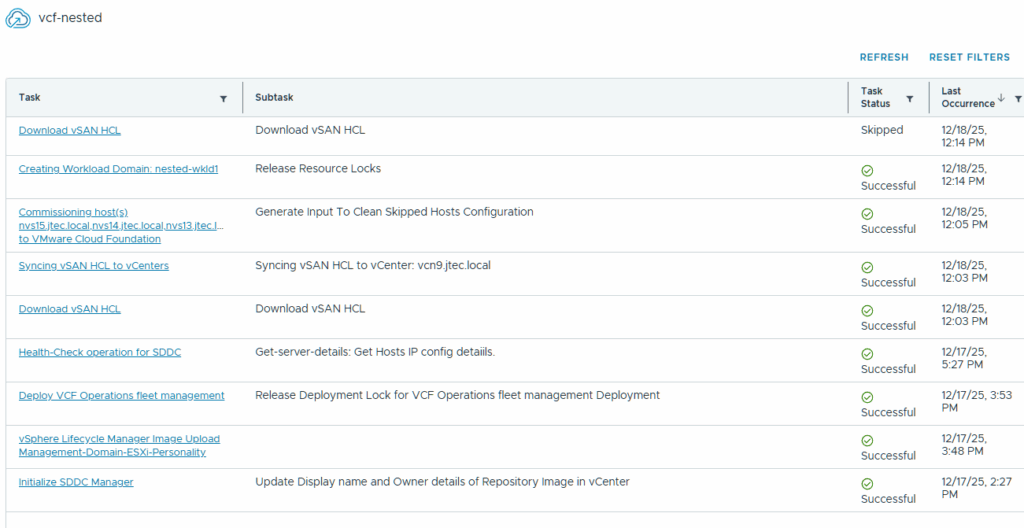
To view deployment tasks in VCF 9, open VCF Operations and go to Fleet Management > Tasks, then select the VCF instance you want to inspect. This short walkthrough shows where I found the task view while deploying a workload domain.
Find tasks for a VCF instance
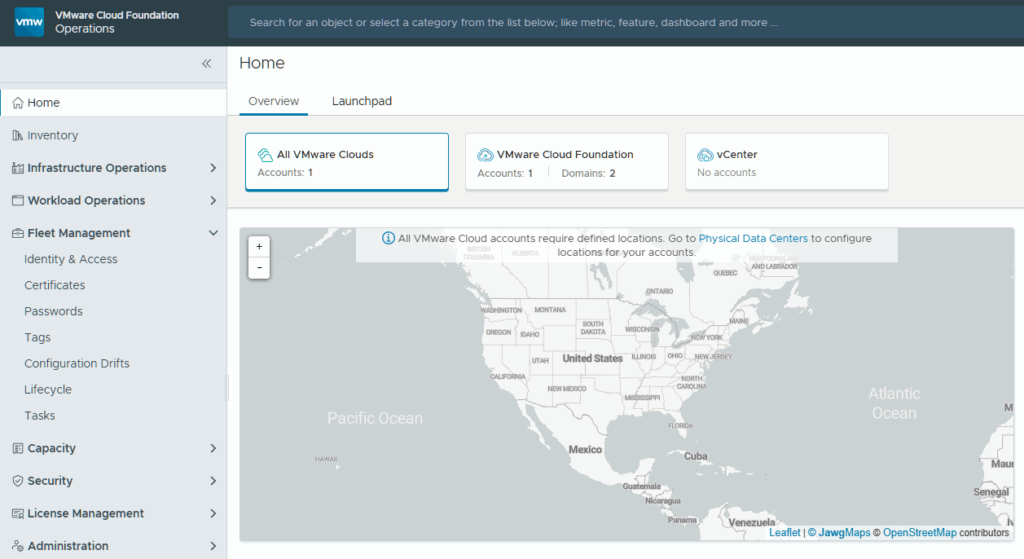
Start by logging into the VCF Operations gui and expand Fleet Management
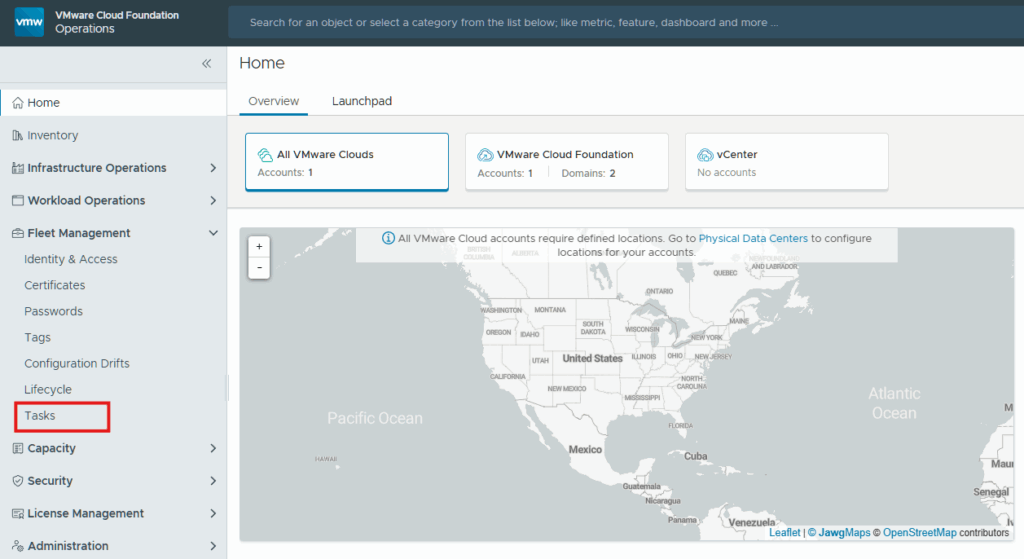
Underneath Fleet Management there is a Task section where this release displays SDDC Manager tasks.
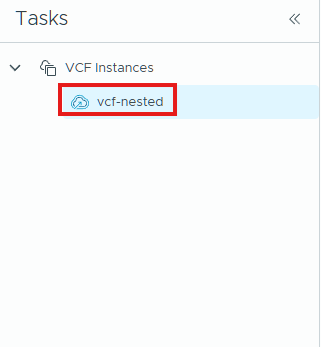
You then expand the VCF Instances and click on the specific VCF domain you want to view.
Luckily my workload domain was already completed so I didn’t have to monitor for too long.