
Commission ESXi Hosts in VCF 9 with vCenter
Commission ESXi hosts in VCF 9 with vCenter. Review prerequisites, add host details, validate fingerprints and prepare hosts for a workload domain.
Overview
This walkthrough commissions ESXi hosts in VCF 9 through vCenter so they are available for a workload-domain deployment. I follow the Global Inventory Lists workflow to add host details, validate them and complete commissioning.
Before commissioning
In order to deploy a workload domain, the first step is to commission hosts that will be used for the deployment.
Open Unassigned Hosts
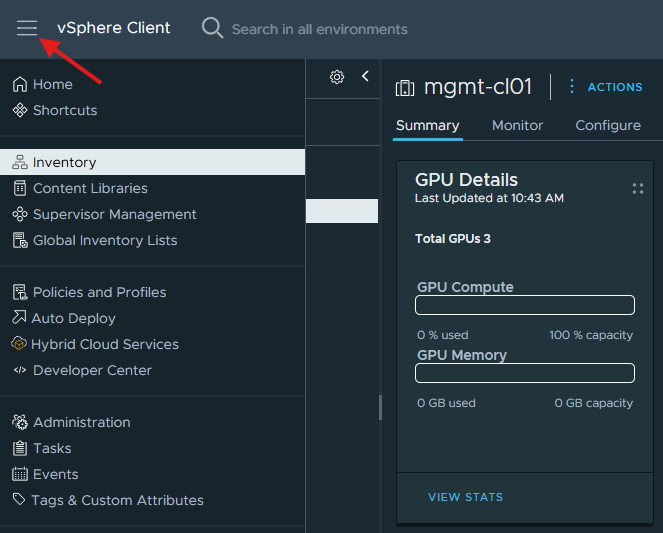
Login to the vCenter server > Select the menu icon in the top left hand corner > Click on Global Inventory Lists
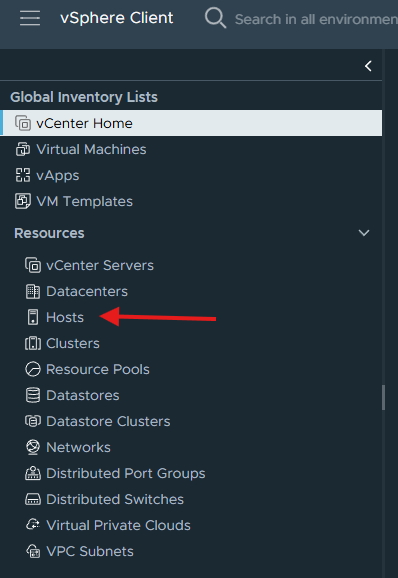
Select Hosts under Resources:
In the Hosts screen, click on Unassigned Hosts:
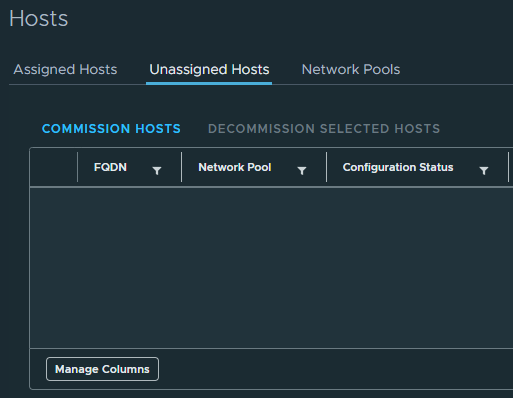
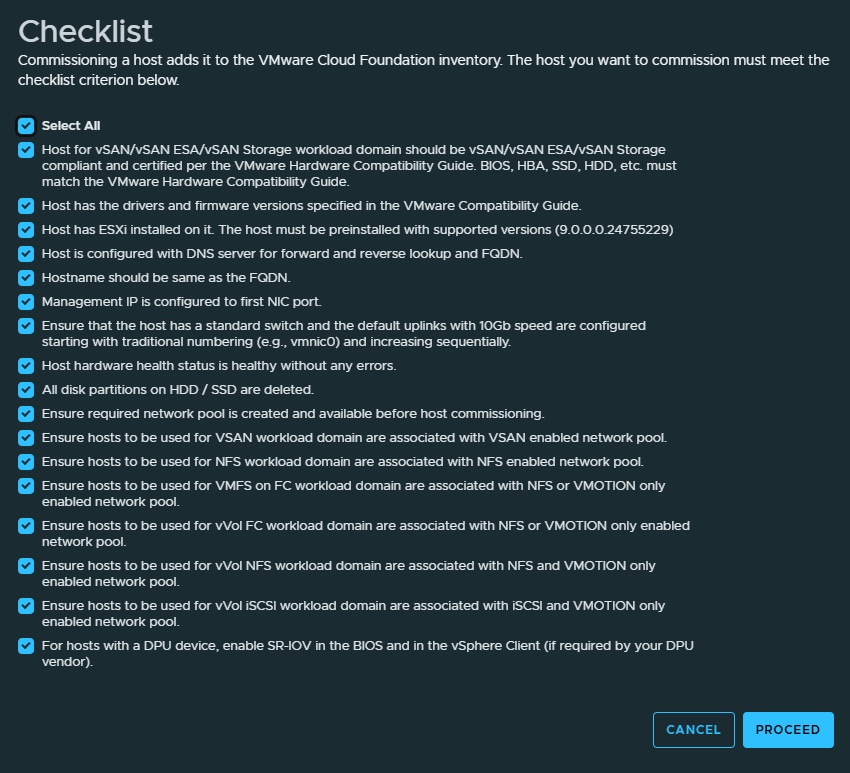
Click Commission Hosts and the pre-requisite checklist will appear:
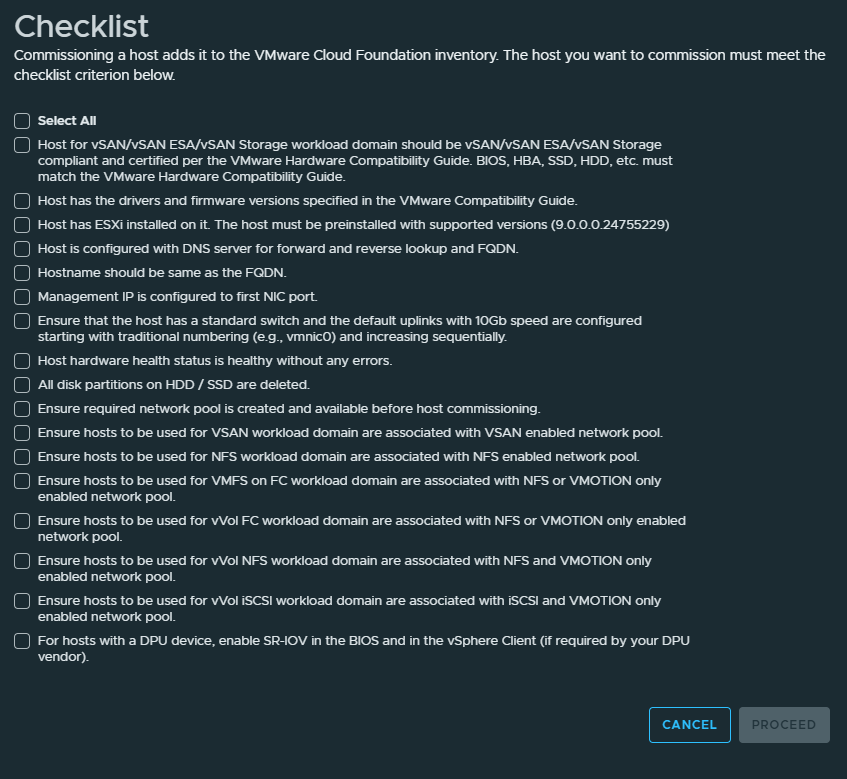
Validate you have met all the requirements for commissioning the hosts and click the check box next to Select All and click Proceed:
Add and validate hosts
In the Host Addition and Validation screen, enter in the information for that host and click Add:
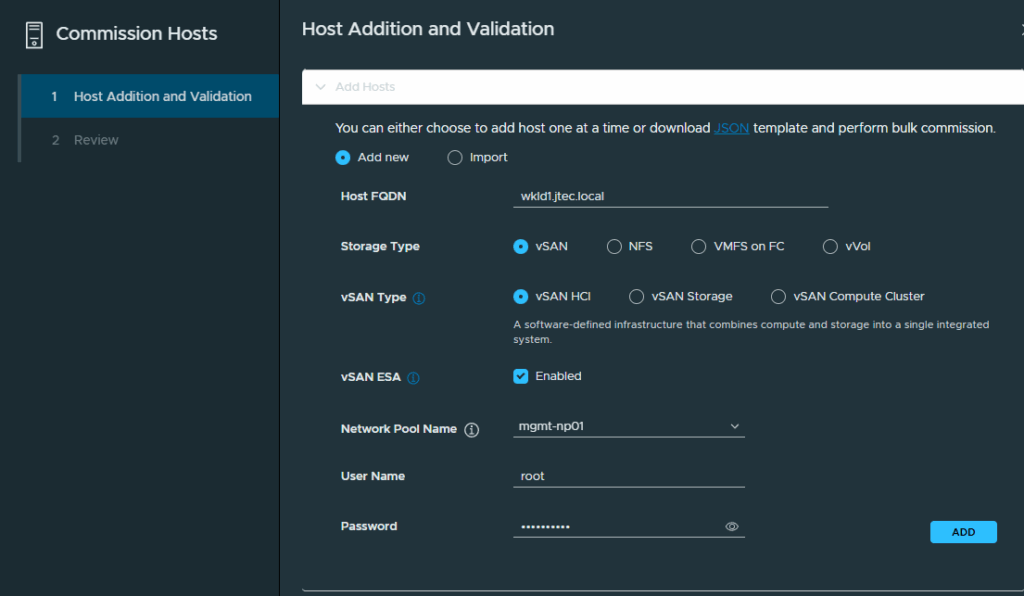
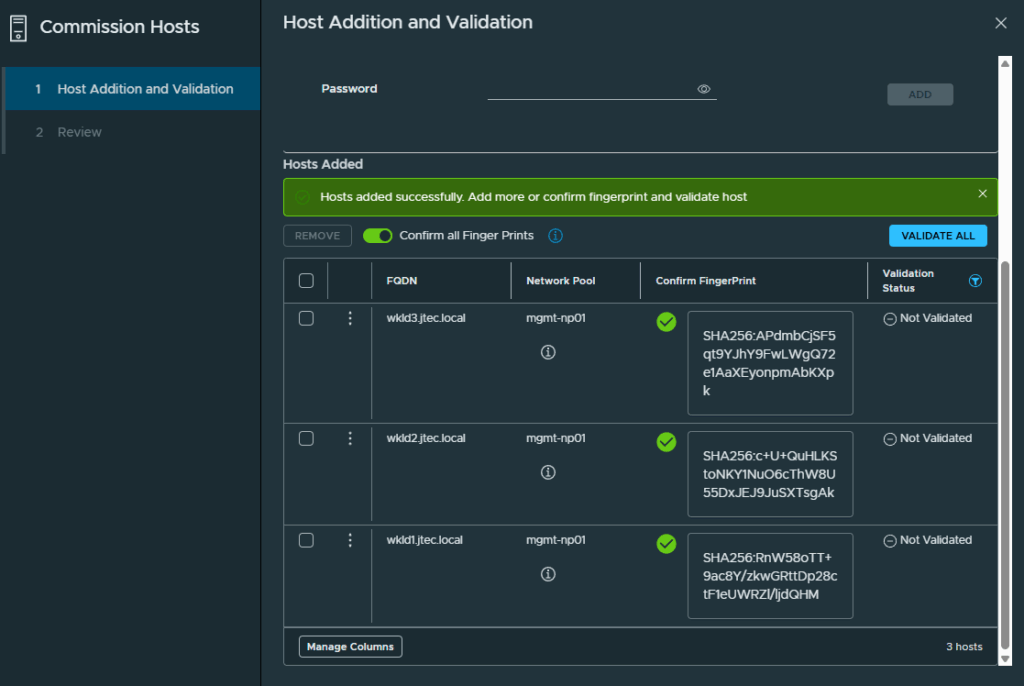
Repeat for each additional host you will be including in the workload domain. I am going to have a total of 3 hosts for my workload domain. If you have a large number of hosts, there is a JSON template that can downloaded in this screen and imported to save time.
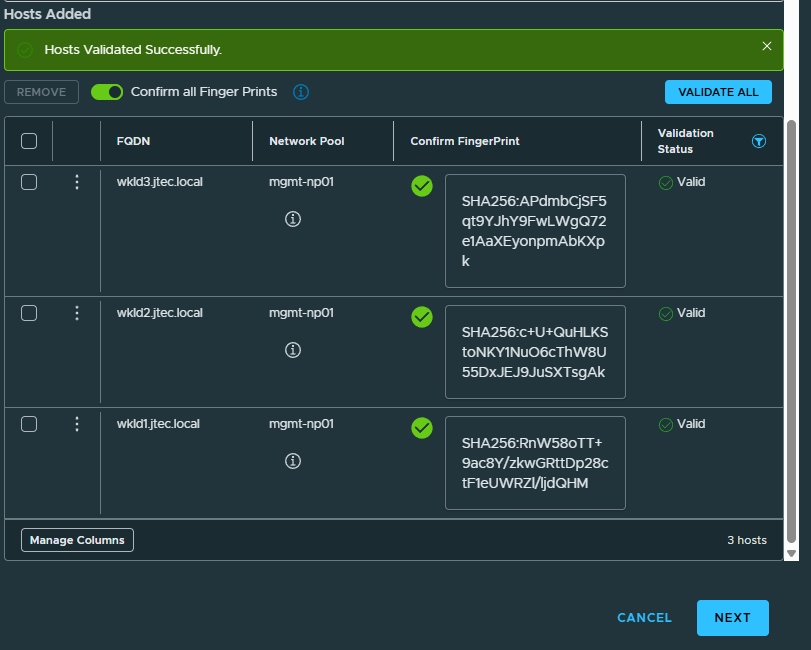
Once all the hosts are added, confirm you have the correct hosts listed for commissioning and click the Confirm all Finger Prints button:
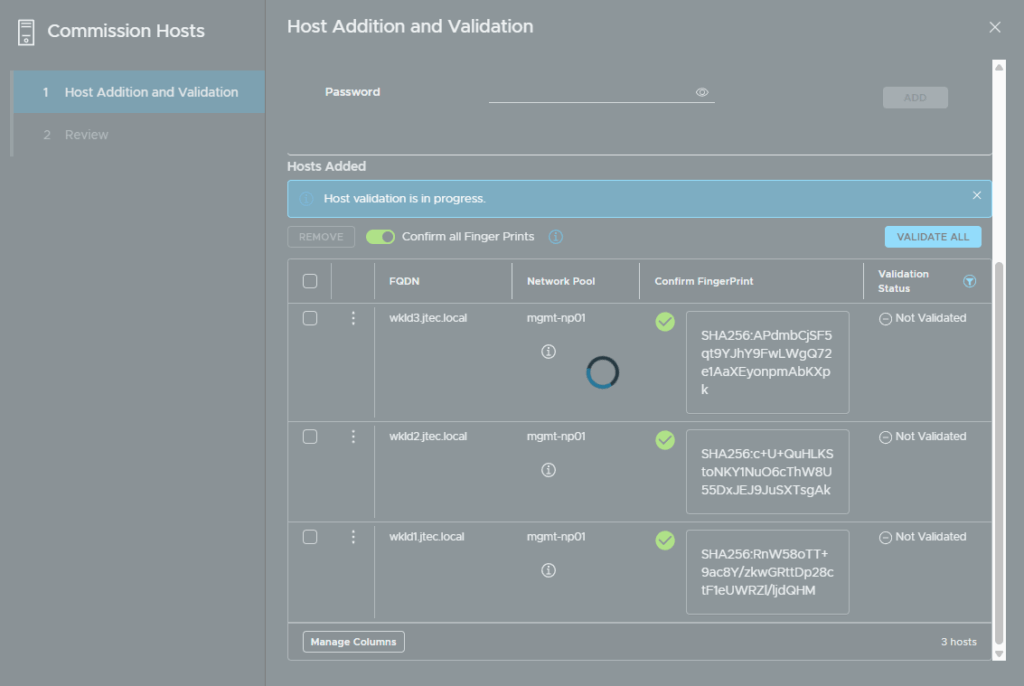
Click on Validate All and the validation process will begin:
If the validation is successful, click Next to continue:
Commission the hosts
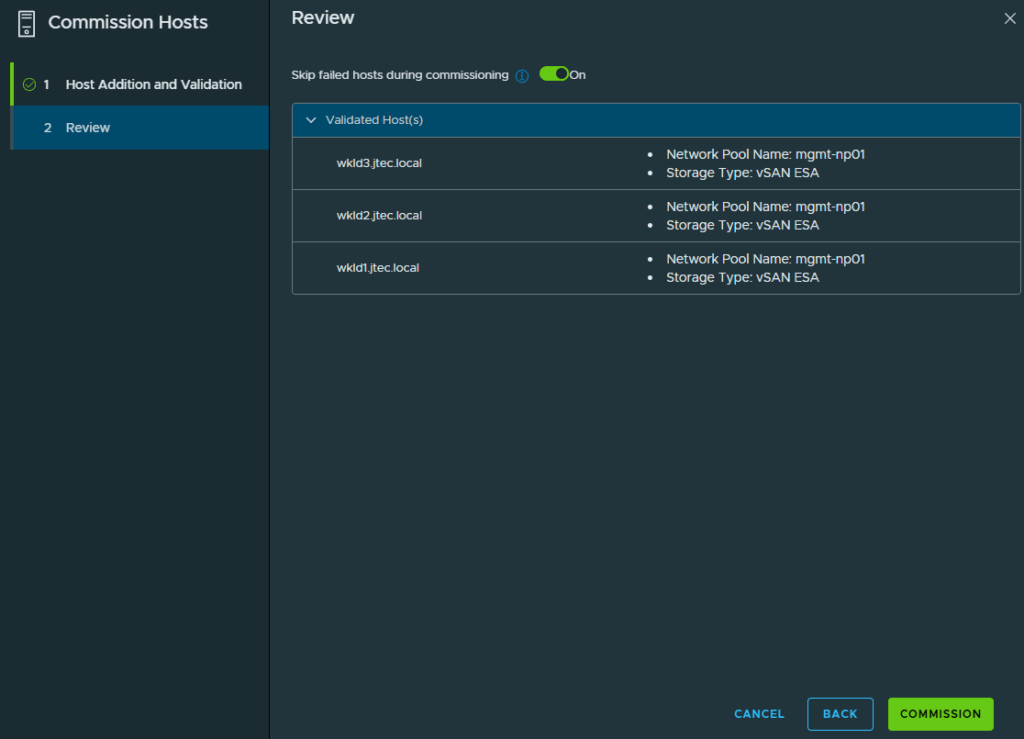
Review the settings of each host and click on Commission if everything is correct, otherwise click Back to return to the previous screen and fix any issues.
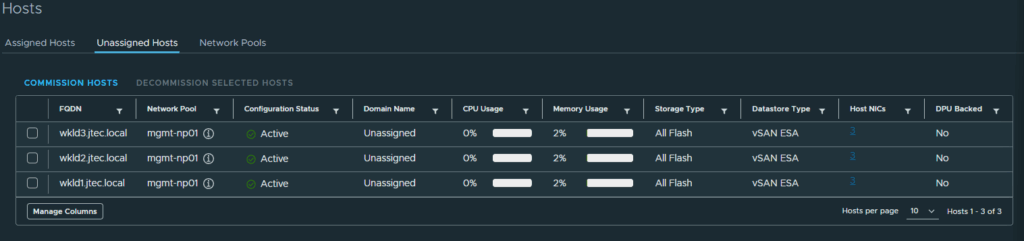
After the commission process has completed the hosts will appear in the Unassigned Hosts list:
In my next post I will deploy the workload domain.