
Commission ESXi Hosts with Custom Certificates in VCF
Prepare to commission ESXi hosts with custom certificates in VCF. Follow the host CSR, Microsoft CA enrollment and certificate import workflow.
Overview
Commissioning ESXi hosts in a VCF environment using custom CA certificates can require additional certificate preparation. This walkthrough follows the host CSR, Microsoft CA enrollment and certificate import process I used in my lab.
Trust and restart checks
- Confirm the intended custom-certificate mode and the trusted root/intermediate chain in the management components. Certificates must match the host FQDN and be valid for the current time.
- Keep a secure backup of the existing certificate and private key and plan recovery access. Never paste the private key into a public issue or article.
- Use the component-supported replacement workflow. If maintenance mode, evacuation, disconnection or reboot is required, account for that before changing a live host.
- After replacement, inspect the issuer, validity and SAN; confirm the host reconnects and commissioning accepts the expected fingerprint.
Service correction: vpxd runs on vCenter, not ESXi. Do not attempt to restart it on the host. Broadcom’s custom-certificate procedure describes the coordinated workflow and its restart/reboot requirements.
Well when you deploy those custom certificate authority certificates it puts the VCF into a custom mode and any new hosts will need a certificate issued by that same certificate authority to be trusted by the SDDC manager. There are a few ways to get certificates installed on the vSphere host, I have found that the web GUI is capable of changing this certificate without any issues.
Generate the host CSR
Follow the steps below to upload a custom certificate authority provided certificate to your vsphere host.
Login to the vSphere host web GUI and click on Manage > Security & users
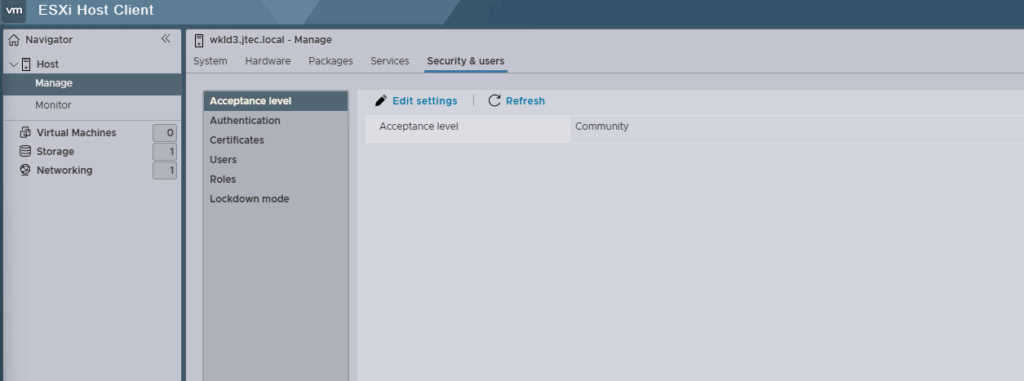
Click on Certificates
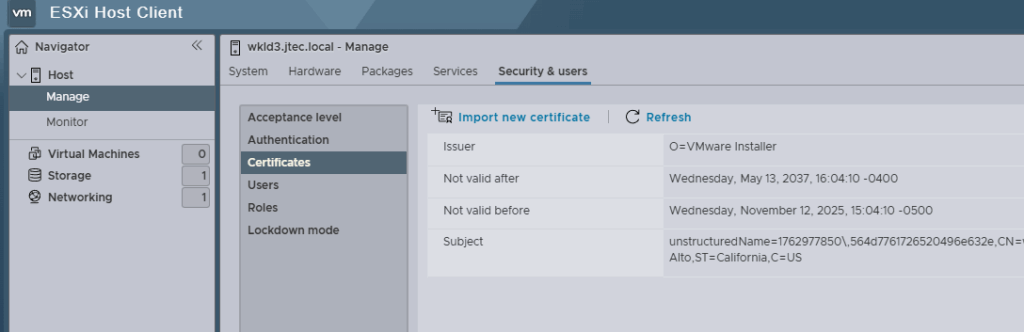
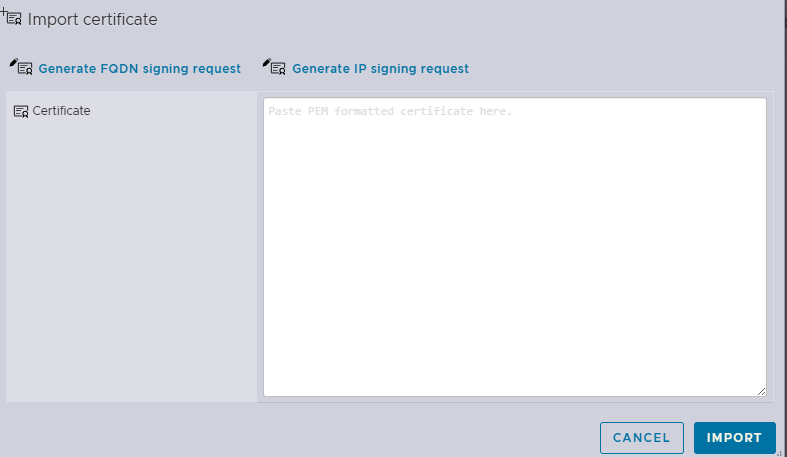
Select the Import new certificate link, and click the Generate FQDN signing request link.
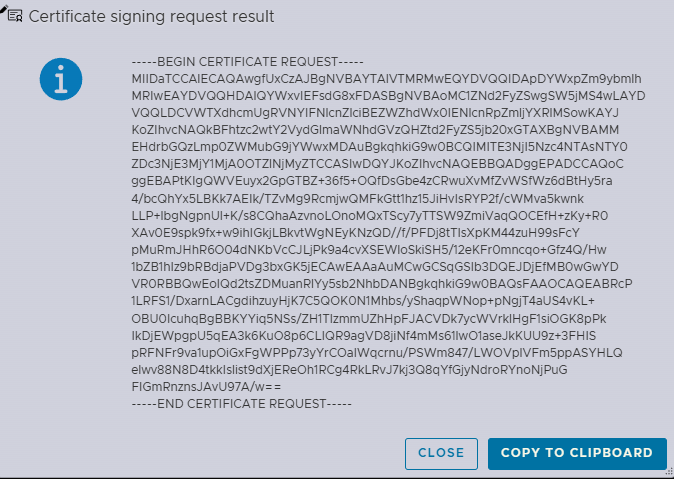
In the Certificate Signing Request (CSR) result, click Copy to Clipboard
Request a CA certificate
Open a web browser and login to your Certificate Authority web enrollment, click on the Request a certificate link.

In the Advanced Certificate Request screen, click on Submit a certificate request by using the base-64-encoded CMC or PKCS #10 file, or submit a renewal request by using a base-64-encoded PKCS #7 file

In the Saved Request box, paste the CSR you previously copied to the clipboard and ensure the correct certificate templates is selected. Click Submit
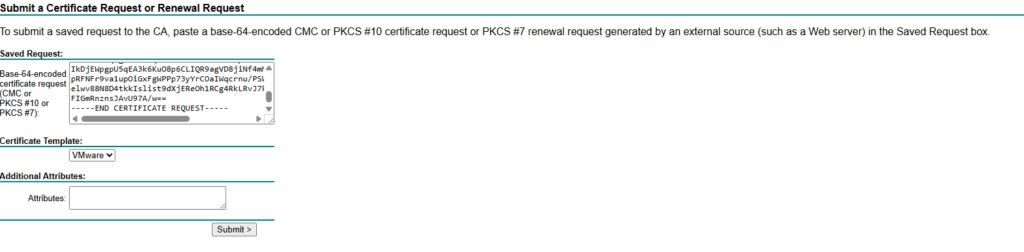
After the certificate is issued, select the radio button for Base 64 encoded and click Download certificate

Import the certificate
Open up file explorer to the location where the certificate was downloaded, right click on the certificate and select Open with Notepad.
Select the entire certificate, including the BEGIN CERTIFICATE and END CERTIFICATE lines and select Ctrl + C. Paste the contents into the Import Certificate pop-up on the vSphere host and select Import.
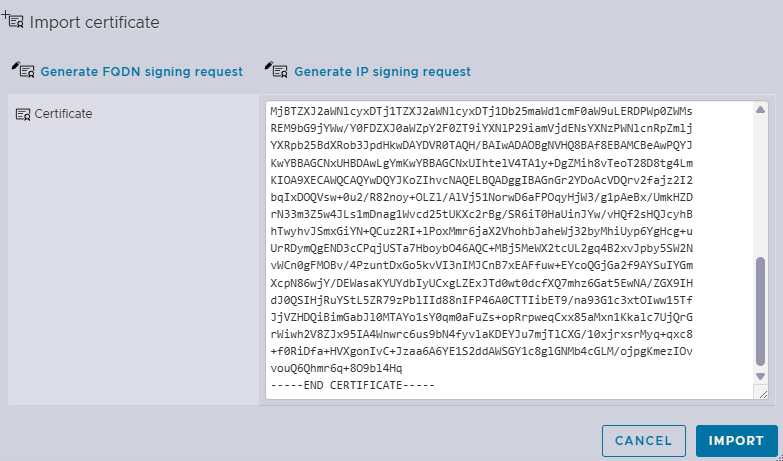
Do not restart vpxd on ESXi: it is a vCenter service. Follow the chosen certificate procedure’s host maintenance and restart/reboot steps, then verify reconnection and trust before commissioning.
Alternative certificate workflow
If you would like to add a custom certificate through the vSphere command line interface instead, you can follow this knowledge base article.