
So I am in the process of re-deploying my lab environment this week and I have run across a new issue in which the NSX Edge node deployment fails due to an OVF certificate validation error. This is due to a certificate that just expired on January 3rd of this year which is used to sign all the OVA/OVF files for deployment.
This is being resolved in NSX version 4.2.3.3 and VCF 9.0.2 which was just released but if you are in the same situation as me, you are still running an older version of VCF 9.
Luckily there is a workaround to resolve this issue, follow this KB article to disable this validation step, I also noticed that my NSX manager wasn’t running the ssh service by default if you experience a “connection refused” error when trying the workaround follow the steps below like I did.
Login to you vCenter web gui and open a web console to your NSX manager, and login with your admin credentials.
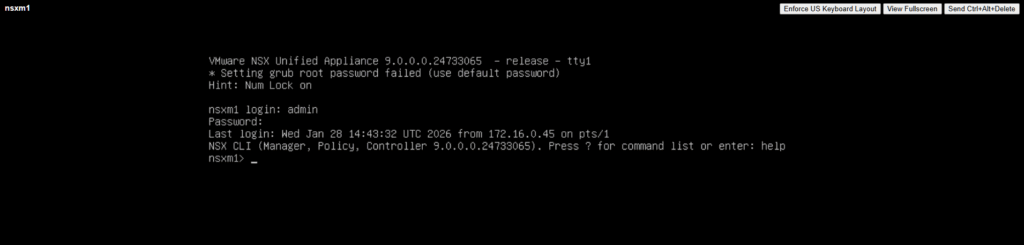
Once logged into the NSX virtual machine, run a command of get service ssh to confirm whether your ssh service is running. If it is not running, then enter the command start service ssh.

There will be no confirmation that it is running, run the get service ssh command again to confirm status.
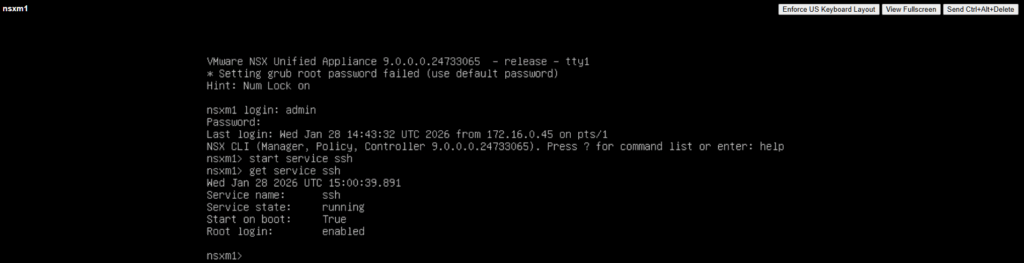
If you want ssh to run each time the NSX manager boots up, enter the command set service ssh start-on-boot.
Now you should be able to continue with the workaround for the OVF certificate validation error. If you have already tried to deploy the edge nodes and don’t want to go through the process of re-deploying everything, I found out that just changing the deployment configuration for the NSX edge would kick the deployment process off again.
You can accomplish this by logging into your NSX manager and selecting System > Fabric > Nodes
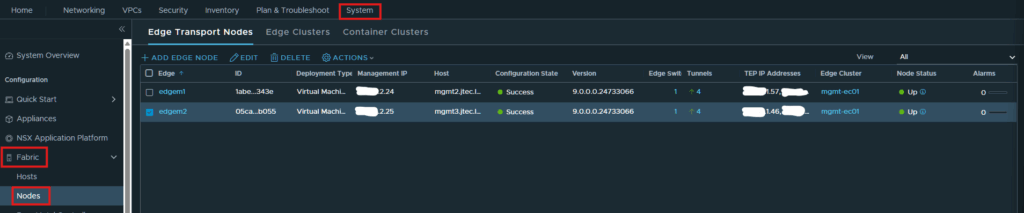
Select an edge node and click Actions > Change Deployment Config.
You don’t need to change anything at all just click Save to complete and it will restart deployment.