
NSX Edge Deployment Fails: OVF Certificate Error in VCF 9
Troubleshoot an NSX Edge OVF certificate error in VCF 9, with version-specific guidance, SSH checks and deployment retry steps.
Overview
An NSX Edge deployment in my VCF 9 lab failed with an OVF certificate validation error. This post records the issue I encountered, the linked vendor workaround, and the SSH checks I used before retrying deployment; check the affected-release guidance before applying it elsewhere.
Guidance checked August 28, 2026: Broadcom KB 424034 identifies expired Edge OVF signing certificates affecting the listed older NSX/VCF releases. It lists NSX 4.2.3.3 and VCF 9.0.2 as fixes. Check your exact installed build against the current KB before applying a workaround; these are fixed-version references, not a claim that they are the newest releases.
The workaround disables OVF certificate validation on the applicable local NSX Managers. Prefer an approved upgrade path where feasible. If the workaround is necessary, first verify backups and recovery credentials, then use the current KB scripts and instructions, including its reversal guidance. Do not assume an upgrade automatically restores validation: inspect the actual setting afterward.
Enable and check SSH
Login to you vCenter web gui and open a web console to your NSX manager, and login with your admin credentials.
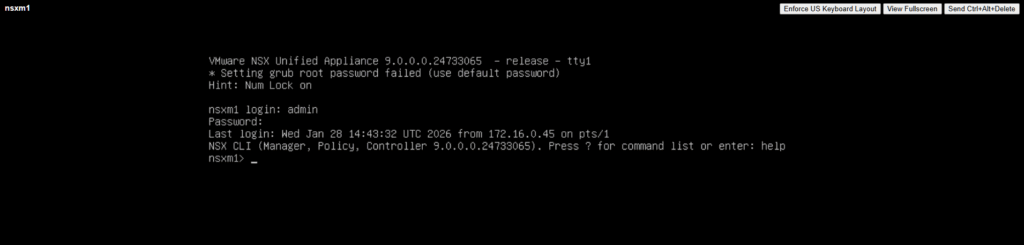
Once logged into the NSX virtual machine, run a command of get service ssh to confirm whether your ssh service is running. If it is not running, then enter the command start service ssh.

There will be no confirmation that it is running, run the get service ssh command again to confirm status.
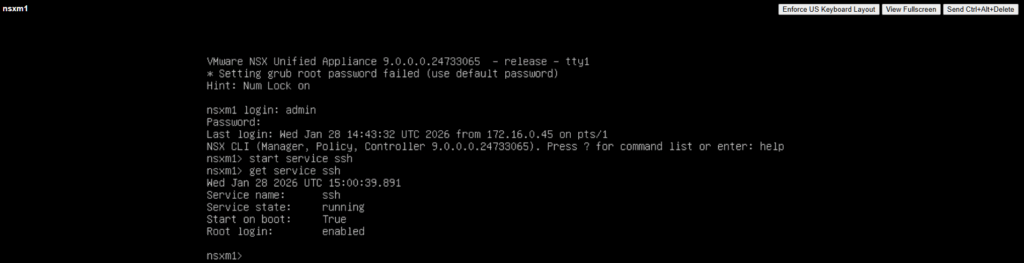
Enable SSH only for the maintenance window unless your approved operating policy requires persistent access. The original lab used set service ssh start-on-boot; this is not a default recommendation.
Retry the Edge deployment
For a new deployment failure, follow the KB’s failed-Edge cleanup procedure before another attempt. For a failed redeployment of an existing Edge, retry that operation. The historical UI retry observation below is not a replacement for those scoped instructions.
You can accomplish this by logging into your NSX manager and selecting System > Fabric > Nodes
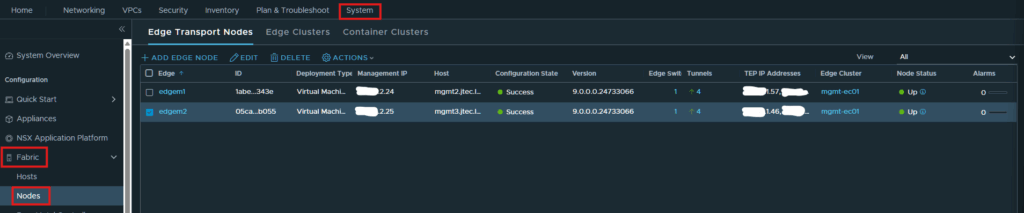
Select an edge node and click Actions > Change Deployment Config.
In this lab, saving Change Deployment Config retriggered the attempt. Use that observation only when appropriate to the failed operation; confirm successful configuration and Up status afterward.