
Configure a VCF Offline Depot and Download Install Binaries
Connect a VCF offline depot and download install binaries through Fleet Management in preparation for deploying VCF Operations for Logs.
Overview
This guide connects a VCF offline depot to Fleet Management and downloads install binaries. I used it to prepare for VCF Operations for Logs, but the appliance deployment itself is covered in the separate deployment walkthrough.
In order to deploy this, I first need to connect my offline depot to the fleet manager to pull down the binaries for deployment.
Connect the offline depot
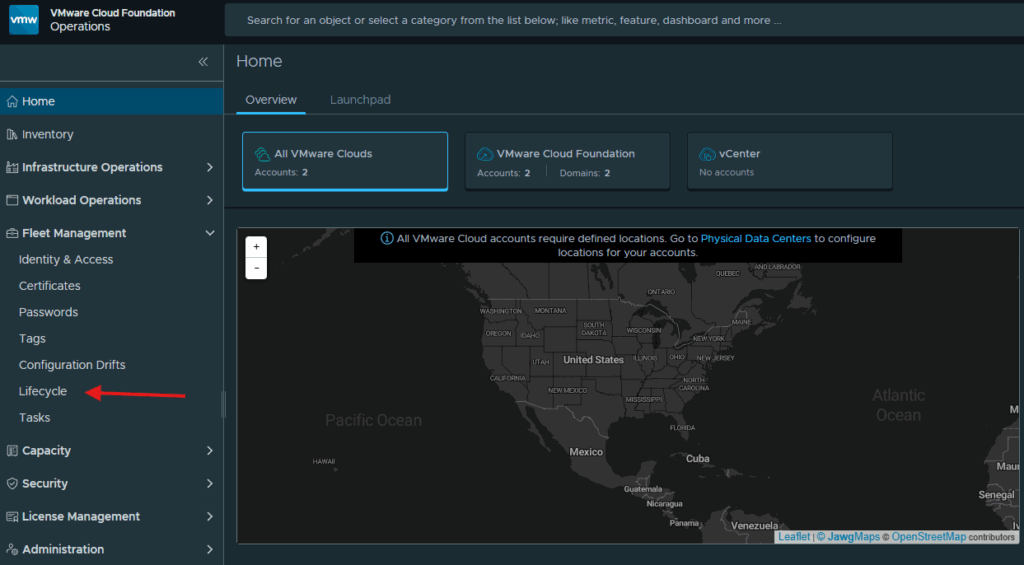
Login to the VCF Operations web gui, expand Fleet Management and click on Lifecycle
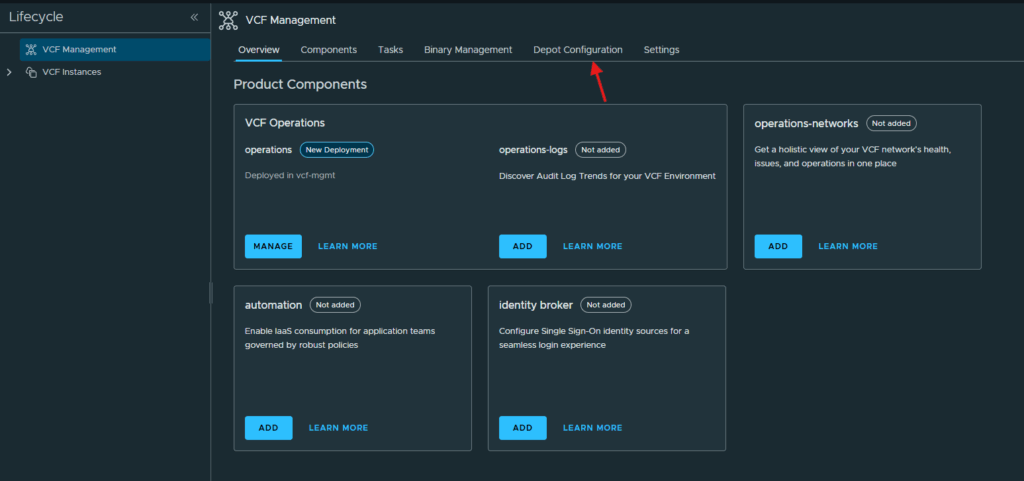
At the Lifecycle screen, click on Depot Configuration.
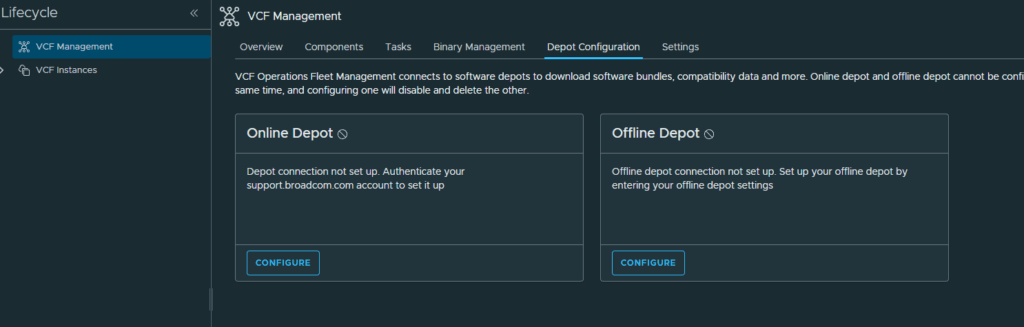
I am going to be configuring an offline depot so I will click Configure in the Offline Depot section
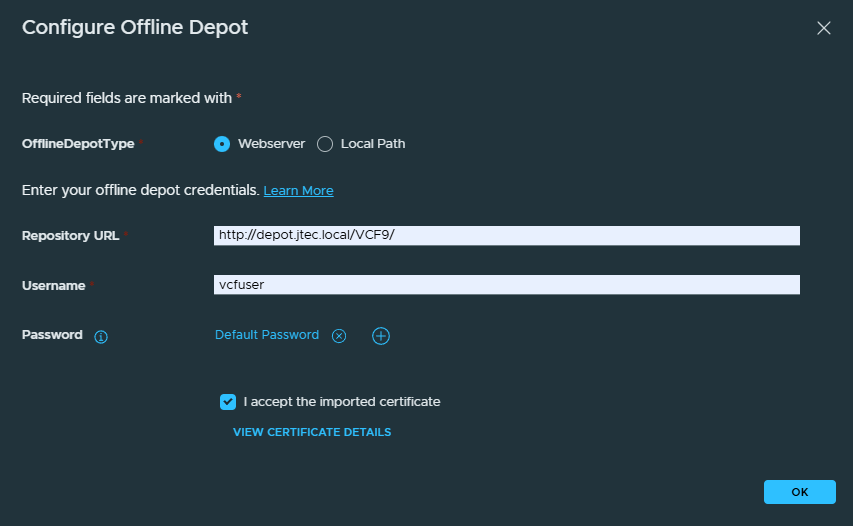
In the Configure Offline Depot screen, enter in the connection information for the webserver and click Ok.
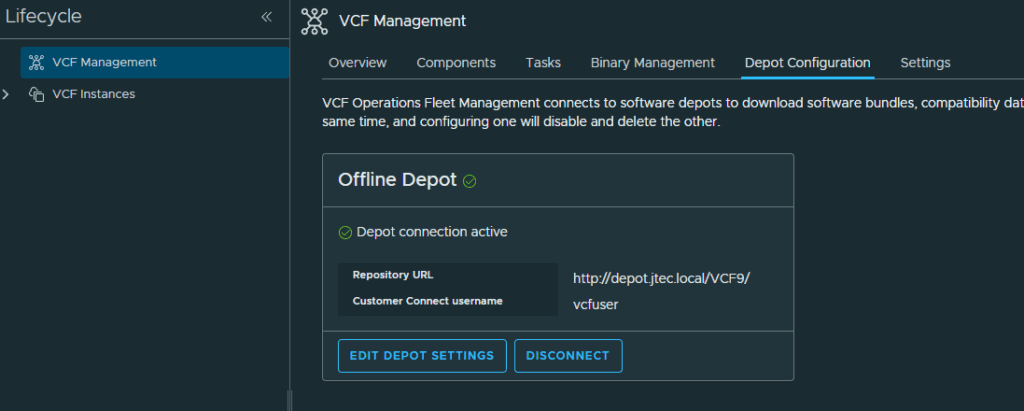
The offline depot will show active and you can continue to download the binaries needed for deployment.
Download install binaries
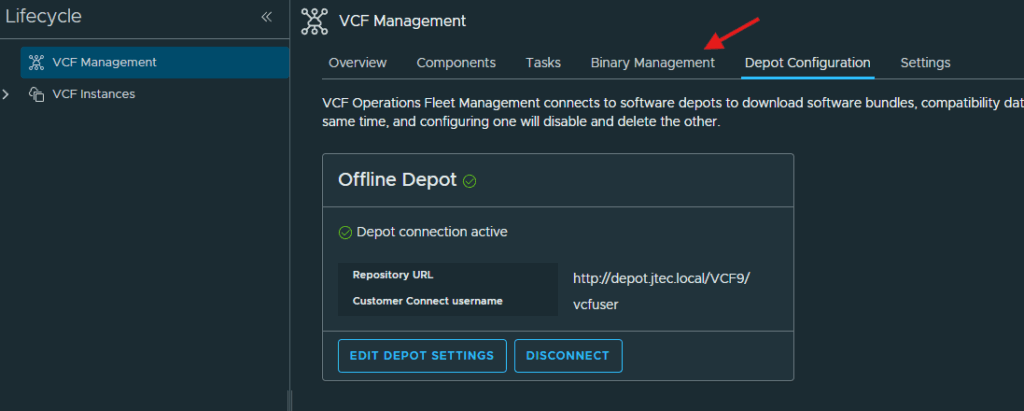
Click on Binary Management
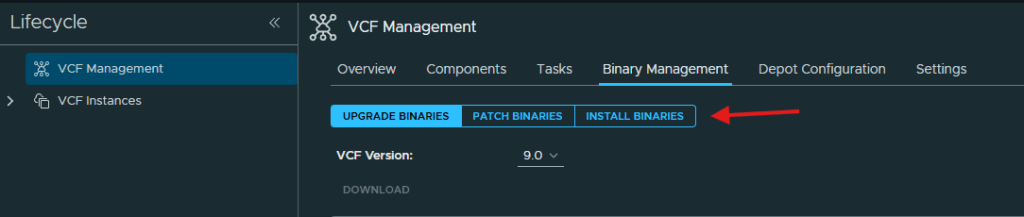
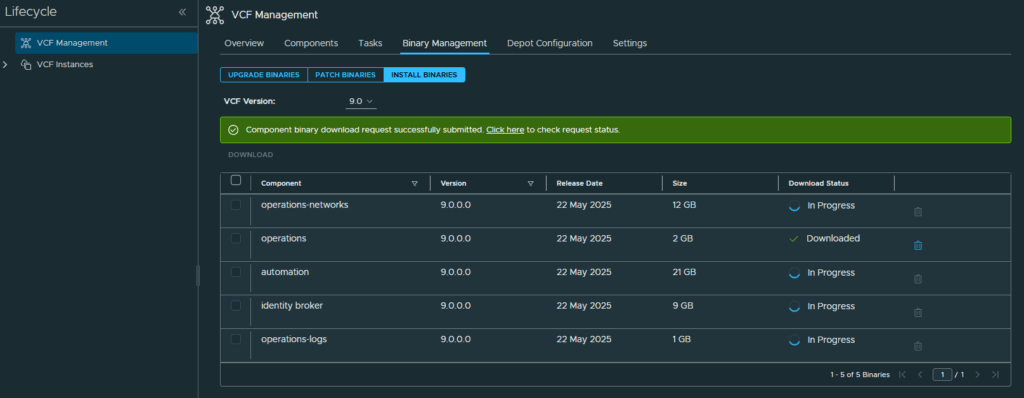
Click on Install Binaries as it will default to the upgrade binaries which is not what is needed to deploy new instances.
Select the binaries you want to download and click the Download link.
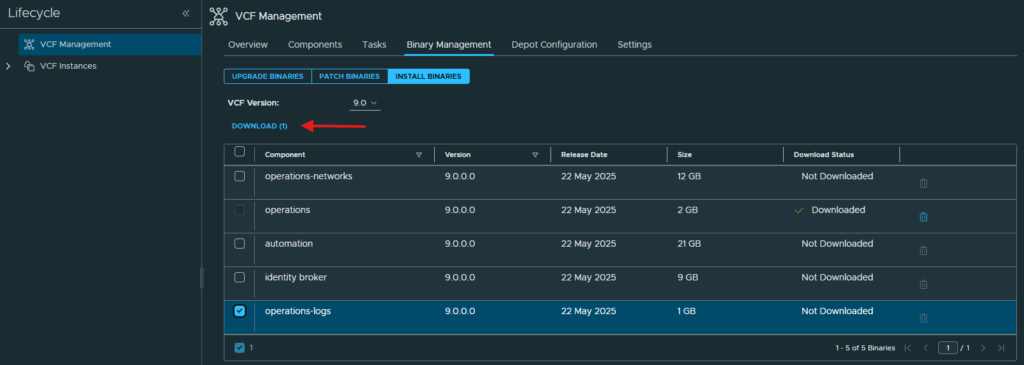
Wait for the downloads to complete and before trying to deploy new instances.
Continue to appliance deployment
I will complete the VCF Operations for Log deployment in next part of this post. Click here for part 2.
Or you can return to my main VCF Lab page to follow along with this deployment.